


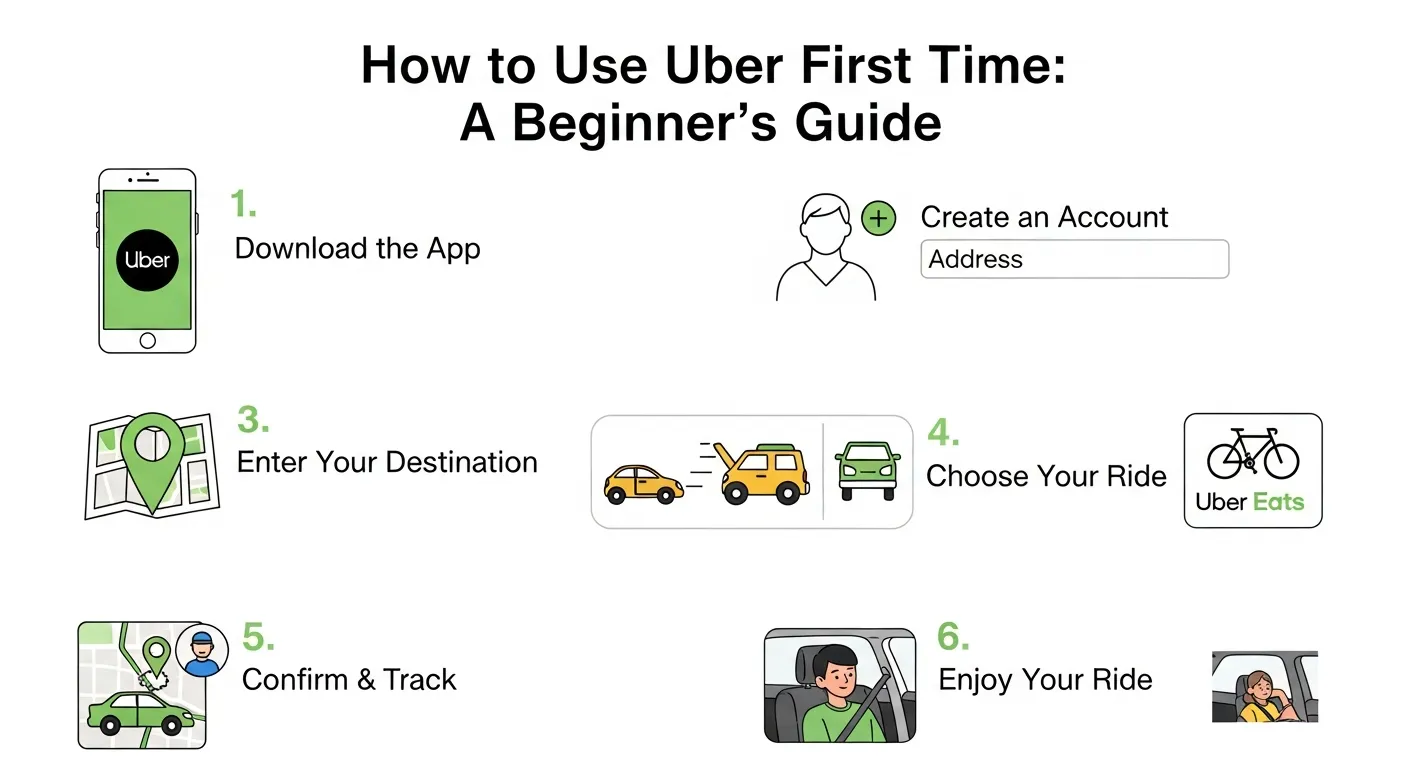
Using Uber for the first time is simple: download the app, set up an account, choose a ride, and travel cashlessly with GPS tracking and safety features. It offers convenient, secure, and beginner-friendly transportation.
Getting from point A to point B used to require standing on a busy street corner, waving your arm frantically, and hoping an empty taxi would happen to drive by your exact location. The introduction of modern smartphone technology changed everything about urban mobility. You can now summon a private car directly to your exact location with just a few simple taps on your screen.
If you have never used a smartphone application to book a ride, the entire process might seem a bit unfamiliar or even intimidating. You might wonder how the application pinpoints your geographical location, how much the trip will ultimately cost, or what happens if you cannot find your assigned driver in a crowded area. Taking a ride in a stranger’s car can also prompt completely valid questions about personal safety, trip tracking, and passenger etiquette.
This comprehensive first time Uber ride guide will walk you through every single step of the process. You will learn how to use the Uber app effectively, how to request specific vehicle types, how to understand the dynamic pricing structure, and how to utilize the built-in safety features to protect yourself. By the end of this extensive post, you will know exactly how to use uber first time with total confidence.
The Evolution of Transportation: Ride Sharing for Beginners
Understanding the basics of modern transportation helps alleviate the anxiety associated with trying a new service. Traditional taxi companies relied on a centralized dispatch system or street-hailing, which left passengers guessing about arrival times and final fares. The modern approach connects independent drivers using their personal vehicles directly with passengers who need a ride.
This peer-to-peer model brings unprecedented transparency to your daily commute or travel plans. If you are exploring options for senior citizens, individuals with disabilities, or simply those new to digital transportation, learning the basics of ridesharing provides an excellent foundation for understanding how these digital platforms operate. Knowing how to use uber first time means understanding that you are participating in a highly tracked, GPS-enabled system designed entirely around user convenience and safety.
Preparing for Your First Time Uber Ride Guide
Before you can actively request a vehicle to pick you up, you need to set up the foundation on your smartphone. The initial account creation process is completely straightforward and generally only takes about five to ten minutes from start to finish.
Downloading the Mobile Application
Start the process by opening the App Store on an Apple iPhone or the Google Play Store on a Google Android device. Tap the search bar and type the name of the service. You will see several options populate the screen. Make sure you select the main black-and-white passenger application, not the specific versions designated for independent drivers or food delivery. Tap the download button and wait for the installation to finish.
Creating Your Personal Profile
Once the initial download finishes completely, open the application on your home screen and tap the “Get Started” button. The system will immediately prompt you to enter your active mobile phone number. The company uses your cellular phone number to send a secure, multi-digit confirmation code via standard text message. This vital security step ensures your new account remains protected from unauthorized access. After verifying your phone number with the code, you must enter your current email address, your legal first name, and your legal last name. You will also need to create a highly secure password that you can remember easily.
Adding a Payment Method
The entire platform operates exclusively on a cashless, digital transaction system. This framework means you absolutely never need to carry physical paper bills, count coins, or wait for exact change at the end of your scheduled trip. To facilitate this seamless transaction process, you must attach a valid payment method to your digital profile before you can ever request a ride.
Navigate directly to the “Wallet” or “Payment” section located within the main application menu. You can quickly link a major credit card, a standard debit card, a verified PayPal account, or a mobile wallet like Apple Pay or Google Pay. The digital platform will securely encrypt and store this financial information, automatically charging your selected method only when your trip officially concludes. Understanding this payment structure is a core part of learning how to use uber first time.
Step-by-Step Uber Booking Tutorial
With your digital account completely set up and verified, you are fully ready to request a car. The user interface is intentionally designed to be highly intuitive, visually guiding you through the entire requesting process step by step. This Uber booking tutorial will ensure you make no mistakes.
Entering Your Exact Destination
Open the application on your smartphone, and you will immediately see a prominent, bold prompt asking, “Where to?” Tap this specific text box and type the exact street address, the name of the business, or the specific landmark of your intended destination. The application will rapidly pull up a comprehensive list of matching locations based on your typing. Carefully select the correct one from the generated list to proceed.
Selecting Your Pickup Location
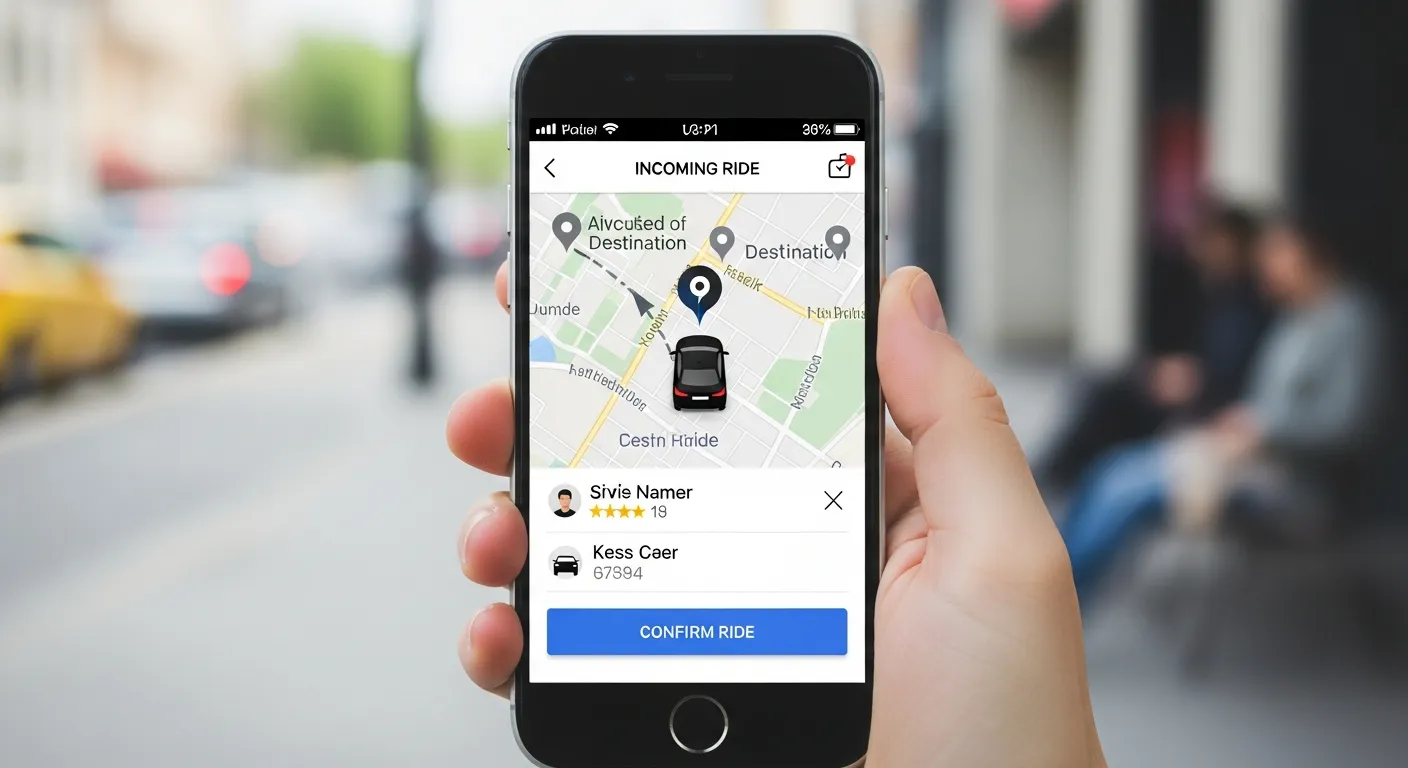
The application relies heavily on your smartphone’s internal GPS chip to determine your precise current location, which it automatically sets as your default, starting pickup spot. If you want a driver to pick you up somewhere else—perhaps you are ordering a ride for a friend, or you plan to walk to a nearby corner—you must manually adjust this. Tap on the blue pickup location pin displayed prominently on the interactive map and manually type in a different starting address.
Choosing the Right Vehicle Type
After selecting your exact destination, the application will display an interactive map with a blue route line and several distinct vehicle categories. The platform offers many different tiers of vehicle service to accommodate various passenger needs, luggage requirements, and personal budgets.
Here is a breakdown of the typical vehicle options you will encounter when figuring out how to use uber first time:
|
Vehicle Option |
Passenger Capacity |
Best Used For |
Price Tier |
|---|---|---|---|
|
UberX |
Up to 4 people |
Everyday affordable rides, solo travel |
Low / Standard |
|
UberXL |
Up to 6 people |
Groups, families, or airport trips with luggage |
Moderate |
|
Uber Comfort |
Up to 4 people |
Extra legroom, newer cars, temperature control |
Moderate to High |
|
Uber Green |
Up to 4 people |
Eco-friendly trips in hybrid or electric vehicles |
Standard |
|
Uber Black |
Up to 4 people |
Luxury rides, business meetings, premium service |
High |
Review the estimated arrival times and the exact upfront prices listed for each specific vehicle option. Tap the specific tier that perfectly fits your current needs and budget, then hit the “Confirm” button to send the request to nearby drivers.
Understanding Pricing and Payment Methods
One of the biggest advantages of using a digital rideshare platform is total pricing transparency. Unlike traditional metered taxis, you almost always know exactly what you will pay before you physically step foot inside the car.
Upfront Pricing Mechanics
When you select your preferred vehicle type during the booking process, the application instantly calculates a precise upfront price. This complex calculation accounts for the estimated total travel time, the exact physical distance, current local traffic patterns, and standard base fare rates. Unless you manually change your destination mid-trip or ask the driver to make unexpected stops, the exact dollar amount you see on your smartphone screen is the exact price you will pay.
Navigating Surge Pricing
During periods of unusually high passenger demand, prices may temporarily increase by a significant multiplier. This dynamic system is known as surge pricing. If there is a major stadium concert letting out, a sudden heavy rainstorm, or a particularly busy morning rush hour, the application uses this dynamic pricing model to financially encourage more independent drivers to log on and hit the road. The application will clearly notify you in bold text if current fares are higher than normal. You can choose to accept the higher price immediately or wait fifteen to twenty minutes to see if the local demand decreases.
How Payments Actually Work
As mentioned earlier in this how to use uber first time guide, payments process completely automatically. When your vehicle safely reaches your final destination, you simply say goodbye, grab your belongings, and exit the vehicle. The backend system will securely charge the specific payment method you selected during your initial account setup. It will then immediately email you an itemized digital receipt for your personal or business records.
Essential Safety Features for New Riders
Personal safety remains a highly common concern for new riders exploring how to use Uber app features. The company has implemented several incredibly strict safety protocols and integrated in-app tracking features to protect both the passengers and the drivers on the platform.
Verify Your Driver and Vehicle
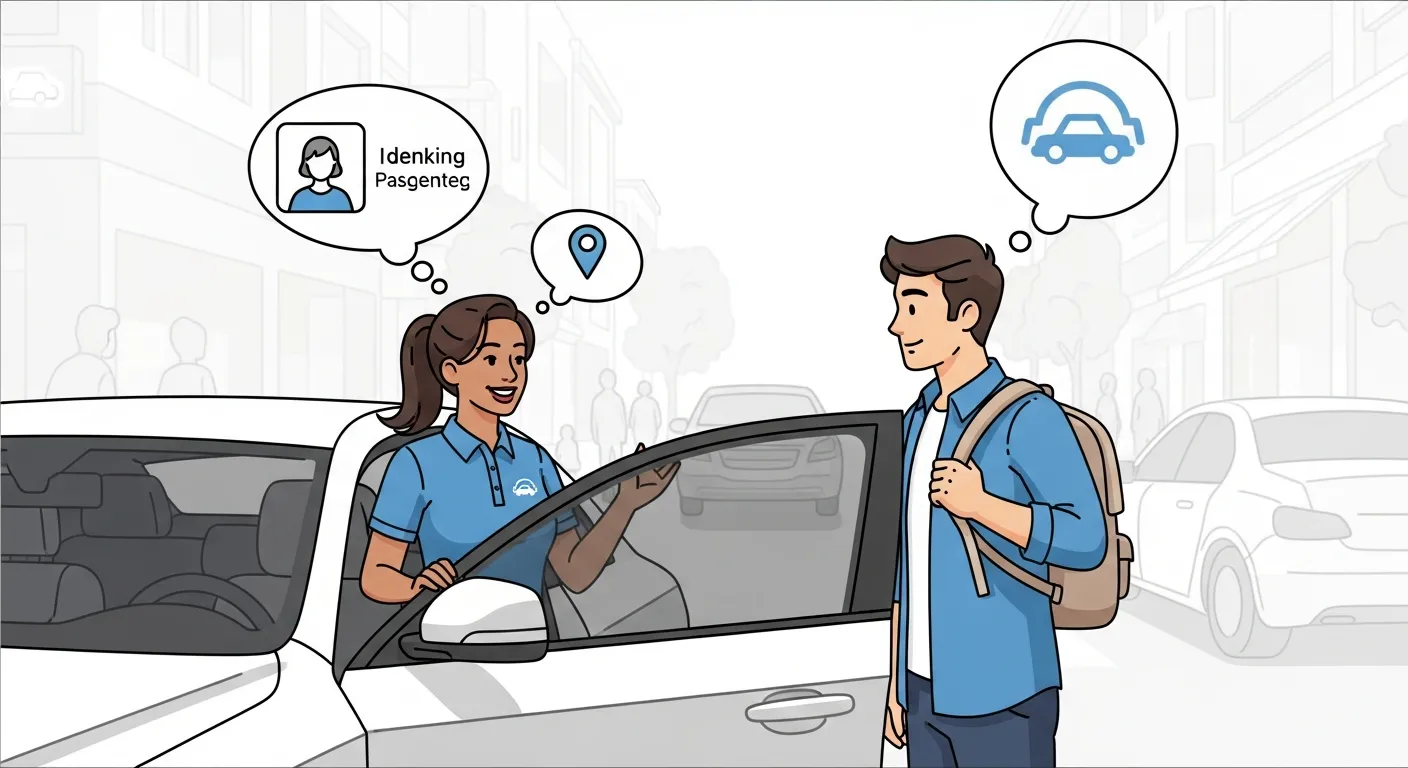
Before you ever open a door and get into any approaching car, you must ensure it is the absolute correct one. The application will provide you with the driver’s first name, a clear profile photo, the specific make and model of the car, and the exact license plate number. When the car physically pulls up to the curb, always check the license plate first. It is also an excellent safety practice to ask the driver, “Who are you here for?” rather than immediately offering your own name.
Using the “Share Status” Feature
If you are traveling entirely alone or moving around late at night, you should aggressively use the built-in “Share Status” feature. This powerful tool allows you to send a live, trackable map of your active route directly to a trusted friend or family member via text message. They can watch your assigned vehicle physically move across the map in real-time and see your dynamically updated estimated time of arrival, even if they do not currently have the application installed on their own device.
In-App Emergency Assistance
In the extremely rare event of a severe emergency, the application features a deeply integrated safety toolkit. You can easily access a prominent red emergency button that dials 911 directly from within the application interface. When activated, the application will display your real-time GPS coordinates, the vehicle details, and the driver information directly on your screen so you can quickly and accurately share them with the emergency dispatcher.
Trust and Safety Protocols
Beyond the app features, the company requires all independent drivers to undergo comprehensive background checks before they can accept their very first passenger. Vehicles must also meet specific age and condition requirements to ensure a baseline level of mechanical safety and passenger comfort.
Trip Etiquette: What to Expect Inside the Car
Riding in a requested vehicle is generally a highly quiet, straightforward, and relaxing experience. Once you have properly verified the vehicle details and safely stepped inside the cabin, you do not actually need to give the driver turn-by-turn directions. Their internal application automatically displays a highly optimized GPS route directly to your requested destination.
Communication with Your Driver
You are completely welcome to sit in the back seat; in fact, the vast majority of regular passengers strongly prefer it for personal space. You can choose to chat amiably with your driver or politely enjoy a quiet, silent ride. Professional drivers completely understand that busy passengers might want to catch up on important work emails, listen to personal music on their headphones, or simply close their eyes and rest during the commute.
Changing Destinations Mid-Trip
If you suddenly realize you need to significantly change your final destination or add a quick secondary stop along the way to pick up a friend, you must do so entirely through the smartphone application. The digital system will instantly recalculate the optimal route and automatically update the upfront price accordingly. Asking the driver to manually detour off the official application route is strictly against company policy and can heavily complicate the automated payment process.
Tipping, Rating, and Post-Trip Actions

When your journey finally concludes, the digital application will immediately prompt you on your screen to rate your overall experience and offer a financial tip to the driver.
The Rating System Explained
The platform utilizes a comprehensive five-star rating system for both the active drivers and the paying passengers. A standard five-star rating indicates that the ride was perfectly smooth, the car interior was clean, and the driver acted professionally. If you had a genuinely negative experience, you can leave a lower star rating and provide highly specific written feedback to the company. Keep in closely mind that drivers rely heavily on maintaining high overall ratings to remain actively employed on the digital platform, so reserve low ratings for genuine behavioral or safety issues rather than minor, uncontrollable inconveniences like heavy traffic.
How to Tip Your Driver
Providing a monetary tip is completely optional but highly encouraged for excellent service. Absolutely 100% of the tip amount you select goes directly into the pocket of the driver. The application interface will conveniently suggest a few predefined percentage or dollar amounts, or you can manually enter a custom tip amount. You actually have up to 30 full days after the specific trip ends to add a digital tip, so you do not need to feel awkwardly rushed as you are gathering your bags and getting out of the car.
Troubleshooting Common Uber Issues
Even with a highly streamlined, multi-billion-dollar digital application, occasional technological hiccups and human errors can happen. Here is exactly how to handle a few highly common situations when figuring out how to use uber first time.
Driver Cannot Find You
If the digital map clearly shows your assigned driver has arrived but you do not physically see their vehicle, they might be parked slightly around the corner, hidden behind a large truck, or waiting on the opposite side of a heavily busy street. You can easily use the application to call or send a text message to the driver completely anonymously. Your actual personal phone number remains securely hidden by a proxy number to fiercely protect your data privacy.
Driver Cancellations
Sometimes a driver may digitally accept a trip request and then mysteriously cancel it a minute or two later. This frustrating situation can happen for various completely normal reasons, such as a sudden localized traffic jam, a low fuel indicator, or a sudden personal emergency. If a driver actively cancels your trip, the backend system will automatically and instantly search for a brand-new driver nearby. You absolutely do not need to start the manual request process over again.
Retrieving Lost Items
If you accidentally leave your house keys, leather wallet, or mobile phone in the back seat of the vehicle, open the application and navigate directly to your account’s “Trip History” section. Select the specific past trip and tap the “Find lost item” button. You can securely contact the specific driver to politely coordinate the safe return of your personal property. If you lost your actual smartphone, you can easily log into your secure account on a desktop computer web browser to access this exact same helpful feature.
Frequently Asked Questions
What do I actually need to download to get started?
You simply need to download the official passenger application from your device’s respective app store. Ensure you have an active phone number, a valid email address, and a functional credit or debit card ready to input during the initial profile setup phase.
How does the application know exactly where to pick me up?
The application utilizes your smartphone’s internal GPS location services to place a digital pin exactly where you are standing. You should always double-check this pin on the map and manually adjust the address if the GPS proves slightly inaccurate due to tall buildings.
Do I need to carry physical cash to pay the driver?
No, the entire platform operates as a strictly cashless digital ecosystem. Your attached credit card, debit card, or digital wallet is automatically charged the exact upfront fare the moment you exit the vehicle at your final destination.
Can I book a ride for a friend or family member?
Yes, you can easily request a ride for someone else by manually changing the pickup location to their current address. The application will ask if the ride is for you or someone else, allowing you to share the tracking details with them directly.
Is taking a rideshare vehicle cheaper than a traditional taxi?
Pricing fluctuates heavily based on local demand, distance, and the specific city you are in. If you want to dive deeper into cost comparisons, checking comparing if Lyft or Uber is cheaper for your next ride can provide valuable insights into budgeting your digital transportation.
What should I do if the vehicle license plate does not match?
Never get into a vehicle if the make, model, or license plate does not perfectly match the information displayed on your smartphone screen. Cancel the ride immediately within the app, step away from the vehicle, and report the severe discrepancy to customer support.
Am I required to talk to my driver during the trip?
You are absolutely under no obligation to hold a conversation during your ride. A simple, polite greeting when entering the vehicle is standard etiquette, but drivers completely respect passengers who prefer to work, read, or enjoy a silent commute.
Can I bring my dog or cat inside the vehicle?
If you plan to travel with a pet, you should specifically request the “Uber Pet” vehicle option if it is available in your city. If that specific tier is unavailable, you must immediately text your driver after requesting a standard ride to politely ask if they allow pets in their personal car.
What exactly is dynamic surge pricing and how long does it last?
Surge pricing is a temporary cost multiplier applied when passenger demand heavily outweighs the number of available drivers in a specific area. It usually resolves within ten to thirty minutes once more drivers flood into the busy area or passenger demand naturally subsides.
How do I add an extra stop on my way to my final destination?
Before you finalize the initial booking, tap the small “+” icon next to the destination box to accurately plug in an intermediate stop. You can also add a quick stop while the trip is already underway by editing the active route directly inside the application interface.
Enjoying Your First Ride
Taking your first digital rideshare trip opens up a completely new, modernized level of urban convenience and personal mobility. By deeply understanding how to properly set up your digital profile, request the correct vehicle category, and actively utilize the built-in safety features, you can travel virtually anywhere with complete peace of mind.
Remember to thoroughly verify your driver’s exact license plate before entering the vehicle, securely buckle your seatbelt in the back seat, and proactively utilize the in-app tools to communicate or legally change your routing. Now that you understand exactly how to use uber first time, all that is left to do is enter your desired destination, relax in the back seat, and thoroughly enjoy the smooth ride.
